Clever Cleaner vs CleanMyPhone vs Nino: Which One to Choose?
Nearly 76% of subscription-based utility apps use at least one dark pattern to keep you paying. When your iPhone storage hits its limit, choosing between clever cleaner vs cleanmyphone or a newcomer like Nino becomes a choice between your data, your budget, and your privacy.
You often end up spending more time dodging "free trial" traps than actually clearing space in your gallery. I will help you compare these three tools honestly so you can find the right balance for your photos and your peace of mind.
- Comparison of photo cleaning apps
- Clever Cleaner privacy review
- CleanMyPhone features and costs
- Nino storage solution approach
- Final verdict on cleaners
Clever Cleaner vs CleanMyPhone vs Nino: The 2026 Comparison
Nino leads for privacy with 100% on-device processing and a transparent $29.99 lifetime option. CleanMyPhone offers superior AI sorting for $24.99/year, while Clever Cleaner remains the basic free choice despite significant data tracking. If you are ready for a secure experience, you can download Nino on the App Store or on Google Play to manage your library safely. 🐿️
Choosing the right tool depends on whether you value your wallet, your time, or your data privacy above all else.
Key Features and Real Pricing at a Glance
Clever Cleaner and Nino both tackle duplicates and media compression, though Clever Cleaner sometimes misses duplicates. CleanMyPhone uses AI to organize your library, but functionality often remains locked behind its specific paywall.
Pricing is where things get messy. Clever Cleaner is free but tracks data, while Nino offers a transparent lifetime fee. CleanMyPhone relies on a recurring yearly subscription that can feel like a trap.
Freemium models often hide the true cost in data or limited features. Transparent pricing, like Nino's, builds real trust because you know exactly what you are paying for from day one.
For a standard iPhone user, the best balance involves weighing upfront costs against long-term utility. Nino offers the most predictable value without the annoyance of monthly bills or privacy leaks.
| App Name | Best For | Price Model | Privacy Level |
|---|---|---|---|
| Clever Cleaner | Budget users | Free | Low |
| CleanMyPhone | AI Sorting | $24.99/yr | Medium |
| Nino | Privacy Seekers | $29.99 Lifetime | High |
Business Models: Free, Subscription, or Lifetime?
Free apps aren't truly free. They often trade your personal data for the service, which is a massive privacy red flag if you care about your private photo collection.
Nino offers a lifetime purchase option. This model stops subscription fatigue, giving you long-term value without those annoying recurring charges or hidden fees that pop up every month.
CleanMyPhone by MacPaw uses a subscription model. These recurring costs add up significantly over several years. While they update often, the total cost of ownership is much higher than competitors.
Lifetime licenses provide total peace of mind. Subscriptions require constant management and manual oversight to ensure you aren't being overcharged for a tool you might forget to use.
Pick the model that fits your budget and ethics. Your storage deserves an honest cleanup.
Clever Cleaner: Is the Free Price Tag Worth the Privacy Trade-off?
Choosing between Clever Cleaner, CleanMyPhone, and Nino involves looking past the surface. While Clever Cleaner costs nothing upfront, the real price often involves your personal data and limited cleaning efficiency.
Cleaning Performance and Duplicate Detection Gaps
Clever Cleaner uses AI to spot duplicates, but it is not perfect. The algorithm often misses obvious copies or similar shots taken seconds apart. This leads to tedious manual work for you.
Limitations appear quickly with similar images. The AI simply is not as sharp as premium competitors like CleanMyPhone or Nino. Users with large libraries might find the results quite underwhelming.
The user experience feels functional yet cluttered. Frequent prompts disrupt the flow, making it feel like a basic tool. It lacks the polished, smooth feel of a truly high-end solution.
It works for quick fixes. However, it fails at deep, comprehensive library organization compared to more robust tools 🐿️.
Data Access and On-Device vs Cloud Processing
Clever Cleaner demands full photo library access to function. Most free cleaners require these broad permissions. It is often more access than strictly necessary for basic local sorting tasks.
Nino processes everything locally on your iPhone, so photos never leave your device. Clever Cleaner’s data handling remains more opaque and potentially risky for your private memories.
Free services frequently monetize user behavior or metadata. This is a common trade-off in the utility app market. You aren't paying with money, so you might be paying with your privacy.
Free apps often monetize user behavior or metadata. Clever Cleaner requires full access, which is a significant privacy trade-off compared to on-device processing.
Check privacy labels carefully. Never grant full access without knowing where your data goes.
CleanMyPhone: Premium Polish with a Recurring Bill
Moving from free tools to premium ones, MacPaw offers a sleek experience that comes with a high price tag.
Advanced Organization and Compression Tools
The AI categorization is quite impressive. It automatically sorts your photos into specific themes like travel, pets, or food. This makes navigating a massive library very efficient for you.
I also checked the image compression feature. It effectively reduces file sizes without any visible quality loss. This is a major plus for users struggling with low storage warnings on iPhone.
The interface design is where MacPaw really shines. The app is beautiful and very easy to navigate. It is clear they invested heavily in the user journey and visual aesthetics.
It is a powerful tool for power users. This works well if you don't mind paying for extra convenience.
The Subscription Model and Cancellation Hurdles
Managing subscriptions often involves some friction. Apple’s interface can make finding the "cancel" button difficult. This setup usually benefits developers more than it helps the users.
We should also identify potential dark patterns. Automatic renewals are the industry standard but often catch users off guard. Those yearly costs can really surprise you later.
Paying every year for a cleaner is expensive. One-time payment alternatives like Nino offer a much better ROI. It is better for your wallet in the long run.
Watch your active subscriptions. Avoid paying for utilities you might have forgotten 🐿️.
Choosing between Clever Cleaner, CleanMyPhone, and Nino depends on your tolerance for subscriptions and data privacy. While Clever Cleaner is free and CleanMyPhone offers a polished interface, Nino stands out by processing everything locally on your iPhone with a transparent one-time payment option.
Nino: The Honest Approach to iPhone Storage
Transitioning from generic cleaners to a specialized tool changes how you handle your memories. While others focus on recurring revenue, Nino prioritizes user privacy and simple, one-time pricing for long-term storage health.
- 100% On-device processing
- 30-day recovery window
- 0 data tracking
100% On-Device Privacy and the 30-Day Trash
Everything stays on your phone. Photos never leave the iPhone, ensuring total privacy. This is the gold standard for security-conscious users today.
Deleted photos stay recoverable for a month. You never have to worry about accidental deletions again. The 30-day trash safety net has your back.
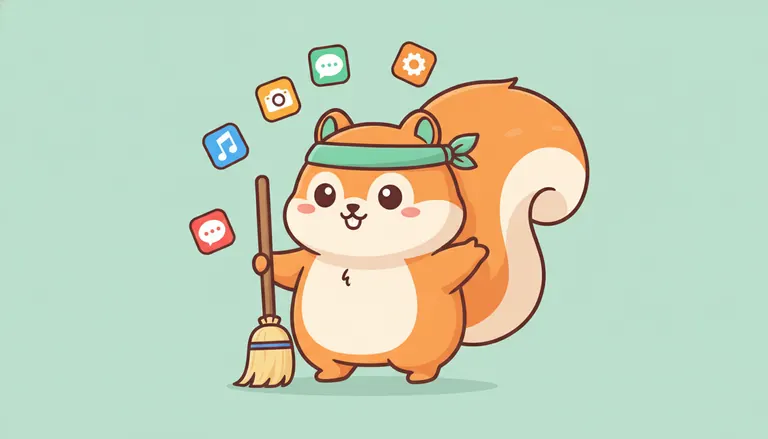
Meet Nino the squirrel. The turquoise bandana and broom represent a friendly, non-alarmist approach. The aesthetic is clean and welcoming, unlike aggressive competitors. 🐿️
Nino avoids dark patterns and fear-mongering tactics. It simply does the job efficiently and safely. This is the "honest cleaner" philosophy in action.
- 100% On-device processing
- 30-day recoverable trash
- No data tracking
- Friendly squirrel mascot interface
Transparent Pricing and Two-Tap Cancellation
The price you see is exactly what you pay. There are no hidden fees or surprise renewals. We believe in an upfront pricing commitment.
It only takes two taps to stop a service. This respects your time and autonomy. No more hunting through endless menus to cancel.
The lifetime license solves subscription fatigue once and for all. It is a refreshing change in a greedy market.
Nino wins on ethics and transparency. It is the most trustworthy choice available for your gallery.
Final Verdict: Matching the Right Cleaner to Your Needs
If you are strictly looking for a free tool and don't mind a slightly less polished interface, Clever Cleaner is a solid starting point. However, users who value a sleek design and are already comfortable with the MacPaw ecosystem might prefer CleanMyPhone despite the ongoing cost.
The trade-offs are clear. Free apps often cost your data. Subscriptions cost your long-term budget. Lifetime licenses offer the best balance of cost, privacy, and convenience.
For a set-and-forget solution that respects your rights, Nino is the standout choice. It is the most honest tool available. 🐿️
Evaluate your needs honestly before hitting download. Your iPhone storage deserves a proper, ethical cleaning tool.
- 100% On-Device: Your photos never leave your phone.
- Transparent Pricing: The price you see is exactly what is debited.
- Easy Exit: Cancel your subscription in just 2 taps.
- Safety Net: Recover deleted items from the trash for 30 days.
How to Avoid Dark Patterns in the App Store
List red flags for utility apps. Watch for aggressive countdowns or vague pricing. These are signs of predatory subscription tactics.
Reference the 2024 ICPEN study. Nearly 76% of subscription apps use at least one dark pattern. This reality makes choosing an honest tool vital.
According to the 2024 ICPEN/GPEN study, approximately 76% of apps with subscriptions employ at least one dark pattern to influence user behavior.
Check the "Data Linked to You" section in the App Store. If a simple cleaner asks for your location, be wary. Privacy should always be the default setting.
Choosing between Clever Cleaner, CleanMyPhone, and Nino depends on your values regarding data privacy and budget. While Clever Cleaner offers basic free tools and CleanMyPhone provides a polished subscription service, Nino stands out with its honest lifetime pricing and 100% on-device processing to keep your memories safe. 🐿️
FAQ
Is Clever Cleaner truly free to use for my iPhone?
Yes, Clever Cleaner is a rare bird in the App Store because it is genuinely free to download and use without annoying ads or mandatory subscriptions for its core functions. It’s a solid choice if you want to swipe through your clutter without opening your wallet, though keep in mind it requires full photo access and might occasionally miss a few duplicates that more advanced tools would catch. 🐿️
How does CleanMyPhone's pricing work compared to Nino?
CleanMyPhone follows a subscription model, starting at $3.75/month (billed annually) or $7.99 for a single month, which can really add up over time. In contrast, Nino focuses on transparency and long-term value by offering a lifetime purchase option for $29.99, helping you avoid "subscription fatigue" while keeping your storage tidy forever.
Does Nino really keep my photos private and on my device?
Absolutely! One of the things I’m most proud of is that Nino uses 100% on-device processing, meaning your personal memories never leave your iPhone or travel to a mysterious cloud server. We also include a 30-day trash safety net, so if you accidentally sweep away a photo you wanted to keep, you can easily recover it within a month.
Is it difficult to cancel a subscription for these cleaning apps?
It can be! Many premium apps like CleanMyPhone rely on Apple's standard subscription settings, which sometimes feel like a maze to navigate. At Nino, we believe in being honest and respectful of your time, which is why we’ve designed our service so you can cancel in just two taps, no dark patterns or hidden buttons here.
What should I look out for to avoid "dark patterns" in storage cleaners?
Great question! You should be wary of apps that use fake countdown timers, vague "free trial" terms that lead to expensive yearly bills, or those that demand excessive data permissions that don't match their function. Always check if the app processes data locally and look for transparent, upfront pricing rather than hidden renewal fees. 🐿️