Is Your iPhone Cleaner App Spying on Your Photos?
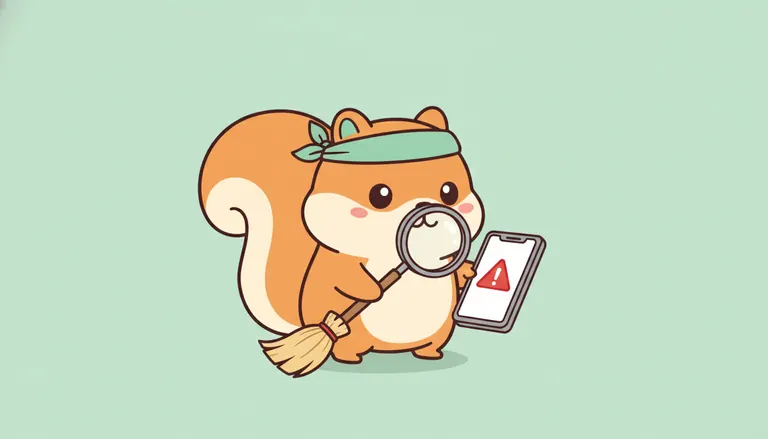
Many utility tools demand full access to your photo library and embed hidden ad trackers to profile your behavior before even starting a scan. When searching for a reliable iphone cleaner app privacy is often compromised by cloud processing, where your private images are uploaded to external servers for analysis. This creates a permanent digital footprint outside your control and exposes your sensitive data to potential leaks or unauthorized access.
This article explains the vital difference between risky cloud uploads and secure on-device processing while providing a checklist to verify any app using the airplane-mode test. I will help you identify these hidden traps and show you how Nino keeps 100% of your data on your iPhone with zero trackers 🐿️. Download Nino on the App Store or on Google Play to start cleaning safely.
- IPhone Cleaner App Privacy and Hidden Risks
- Cloud Processing vs On-Device Cleaning
- 3 Steps to Verify Your Cleaner App Honesty
- Nino Cleaner Transparency and Security
IPhone Cleaner App Privacy and Hidden Risks
Most iPhone cleaners demand full library access to harvest metadata and track behavior via third-party SDKs. Protecting your privacy requires choosing tools that process data locally, avoiding external server uploads that expose sensitive images, and you can download Nino on the App Store or on Google Play to ensure your gallery stays private.
This technical exposure starts the moment you grant permissions, leading to the common trap of full photo access.
The Trap of Full Photo Access
Many apps request full library access instead of specific folders. Developers use convenience as an excuse to bypass iOS privacy barriers. This shortcut simplifies their code at your expense.
Broad permissions are risky. Full access allows apps to scan every personal moment without your active consent. You lose oversight of what is being read.
Photos contain GPS coordinates and timestamps. These metadata points reveal your daily life patterns 🐿️.
Full photo access allows apps to scan GPS coordinates and timestamps (metadata) which reveal daily life patterns.
Hidden Ad Trackers in Utility Apps
Third-party SDKs often profile your behavior. Many "free" tools act as data brokers, monitoring phone usage to build digital twins for advertisers. It is a hidden trade.
Cleaning habits are sold to networks. Storage patterns can signal your lifestyle to aggressive advertisers. Your data effectively becomes their product.
A tool should clean, not spy. Nino ensures 100% on-device processing to keep your photos private and secure.
Cloud Processing vs On-Device Cleaning
Data leaves your device to reach remote servers. This path exposes your library to potential third-party access or permanent digital footprints.
All operations happen strictly on your iPhone hardware. No internet is required, ensuring your private photos never leave your hand.
Many cleaning apps act like they are helping, but they actually upload your private images to external servers. This "cloud cleaning" means your files leave your iPhone, creating a permanent digital footprint outside your control.
Remote storage often has hidden security vulnerabilities. Even the biggest tech players face leaks occasionally. You can learn more about managing your library safely in this photo management guide from Wirecutter.
Server-side processing carries the risk of unauthorized access. Hackers or even employees could potentially view your library. Once your data sits on a server, your privacy depends entirely on someone else's locks.
The Security of Local Processing
Algorithms that run 100% on-device keep your data locked within your iPhone hardware. As I always say, what stays on the phone stays private. No external eyes can ever see your files. 🐿️
Local processing removes the danger of data interception during transfers. Since nothing is sent to a cloud, there is no trail for hackers to follow. You keep total control over your sensitive memories.
Nino uses this local-only architecture to ensure your images never leave your device. I never use advertising trackers, so your habits stay your business. It is the honest way to tidy up.
3 Steps to Verify Your Cleaner App Honesty
Understanding the technology is great, but you need practical ways to test if an app is lying about its privacy practices.
Decoding App Store Privacy Labels
Check the "Data Linked to You" section at the bottom of the App Store page. These mandatory nutrition labels reveal what is actually tracked. It is the first step to spotting hidden trackers.
Red flags include "Contact Info" or "Identifiers" being collected unnecessarily. Review the privacy policy of Clever Cleaner to see how honest apps declare no PII collection. Avoid apps with excessive permissions.
Compare tracking disclosures between popular tools before downloading. Some claim privacy but track usage data in the fine print. Look for the "Data Not Collected" badge for real peace of mind.
The Airplane Mode Test for Data Leaks
Test the app without internet to spot potential leaks. Turn off Wi-Fi and Cellular data completely. Open the app and try to scan your photo library immediately.
Failure in airplane mode is a major privacy warning. If it requires the web, it is likely uploading your data. A real, honest cleaner works 100% offline.
Watch for struggles when the connection is cut. 🐿️ If it hangs, your privacy might be at risk. Keep an eye out for these specific red flags:
- Error messages regarding network connectivity.
- Infinite loading icons that never resolve.
- Thumbnails failing to appear in the gallery.
- Battery drain during connection attempts.
Nino Cleaner Transparency and Security
Once you've tested the others, you'll see why a dedicated, honest approach makes all the difference for your iPhone's safety.
Zero Trackers and Total Transparency
I am committed to an environment completely free of advertising SDKs. Nino doesn't care about your data for ads. The squirrel only cares about your storage space and your peace of mind.
My pricing model is honest, without any hidden weekly subscriptions. The price you see is the price you pay, period. No dark patterns or deceptive countdowns are allowed here.
You can cancel everything through an easy two-tap process. I believe in freedom, not traps. Here is how I stand against the usual market tricks.
| Feature | Nino's Approach | Standard Cleaner |
|---|---|---|
| Privacy | On-device | Cloud |
| Processing | Local | Server |
| Trackers | 0 | Many |
| Cancellation | 2-taps | Hidden |
Keeping Every Byte on Your iPhone
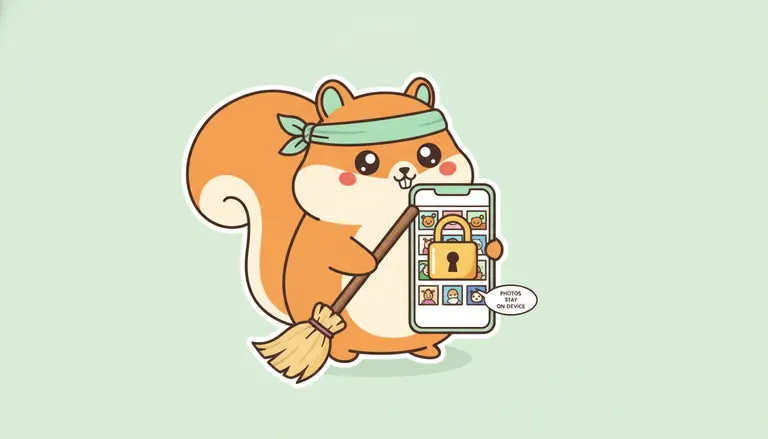
Nino processes all photo scans locally on your device. Your photos never leave your hand. The turquoise bandana squirrel keeps everything strictly private and secure on your hardware.
Mistakes happen when cleaning quickly, so I included a 30-day recoverable trash. You can always get your photos back within a month if you change your mind. It is your safety net.
Deleted photos go to a 30-day recoverable trash folder for peace of mind before permanent removal.
The turquoise bandana squirrel is on a mission for honest cleaning 🐿️. Nino is the "honest cleaner" you deserve. We fight against the dark patterns that plague the App Store today.
Protecting your privacy starts with choosing tools that process data locally rather than uploading files to risky servers. Always check App Store labels and use the airplane-mode test to stay safe. Trust Nino for 100% on-device cleaning with zero trackers. Secure your iPhone library today for a private tomorrow. 🐿️
FAQ
Do cleaner apps actually upload my private photos to their servers?
Unfortunately, many popular cleaning tools use cloud processing, meaning your photos are sent to external servers for analysis. This creates a permanent digital footprint outside your control and exposes your sensitive images to potential leaks or unauthorized access by third parties.
In contrast, Nino operates with a 100% on-device approach. Your photos never leave your iPhone, ensuring that your personal data stays exactly where it belongs, in your hands. 🐿️
Why do these apps require full access to my entire photo library?
Many developers request full access to bypass iOS privacy barriers and harvest metadata, such as GPS coordinates and timestamps. This allows them to build behavioral profiles or track your lifestyle patterns through your storage habits, often using hidden third-party ad trackers.
You should be wary of any utility app that demands broad permissions before performing a simple task. A privacy-focused tool like Nino only processes what is necessary locally, without spying on your daily life patterns.
How can I tell if a cleaner app is respecting my privacy?
The best way to verify an app is to check its App Store privacy labels for "Data Linked to You" or "Identifiers." If you see tracking disclosures, the app is likely a data broker in disguise. You can also perform the Airplane Mode test: if the app fails to scan without internet, it is probably uploading your data.
Nino is designed to work perfectly offline because all algorithms run on your device's local neural engine. We use zero trackers and provide total transparency regarding our data practices.
Is it safe to delete photos using a third-party cleaning app?
It is safe only if the app provides a safety net and processes data locally. Many "free" apps have dark patterns that make it hard to recover mistakes. Always look for a tool that offers a recoverable trash feature to ensure you don't lose precious memories forever.
With Nino, you get a 30-day recoverable trash period for total peace of mind. We combine high-level security with an honest interface, so you can clean your gallery without the fear of hidden subscriptions or data theft.