How much is the Cleanup app? Price, safety and how to cancel
Short version of my Cleanup app review: it works. The swipe interface is nice, it keeps the best shot out of a burst of similar photos, and it holds a 4.7 average from about 733,800 US ratings. The catch is the price ladder: the featured offer is one free week, then $7.99 a week, and the listing shows ten weekly prices from $5.95 to $11.99 (checked on the US App Store on 10/11/2026). Legit, yes. Cheap if you pick the wrong plan, no.
If you already installed it and just want out, jump to the cancel and refund section, it has the exact Settings path. If you want an alternative that shows the price you actually get charged, I compare it with Nino further down (full disclosure: Nino is our app). You can also download Nino on the App Store or on Google Play and try the first clean for free.
What I looked at: the App Store listing, the in-app purchase list, the privacy label, and the two public critiques people link to the most.
- What Cleanup is and who makes it
- How much the Cleanup app really costs
- Is Cleanup legit? What the critics say
- Pros and cons, no spin
- How to cancel Cleanup and ask for a refund
- Cleanup vs Nino: an honest comparison
What Cleanup is and who makes it
The full App Store name is Cleanup: Phone Storage Cleaner. It's one of the big names in the iPhone cleaner category: it scans your library for similar photos, duplicates, screenshots and large videos so you can free up storage without scrolling through 15,000 pictures by hand.
The seller changed names
Something most reviews skip: the seller listed on the App Store is now DEEP FLOW SOFTWARE SERVICES - FZCO, but the listing still carries a "© Codeway 2020" copyright line. So the app was formerly published by Codeway and the seller account has changed since. That's not shady by itself, companies restructure all the time. It does matter if you're trying to match a charge on your card statement or search for complaints under the old name.
Name: Cleanup: Phone Storage Cleaner
Seller: DEEP FLOW SOFTWARE SERVICES - FZCO (formerly Codeway, © Codeway 2020)
US rating: 4.7 (about 733,800 ratings, 10/11/2026)
France rating: 4.5 (about 50,700 ratings)
Model: free download, Pro features behind weekly or yearly subscriptions
Privacy label: "Data Used to Track You" (purchases, identifiers, usage data)
Checked on the App Store on 09/27/2026.
A great rating, read with some context
Over 700,000 ratings at 4.65 is a lot of happy people, and honestly that makes sense: the app does find gigabytes of junk. But a star average tells you nothing about when you get asked to pay, or how much. That's where the real review happens.
How much the Cleanup app really costs
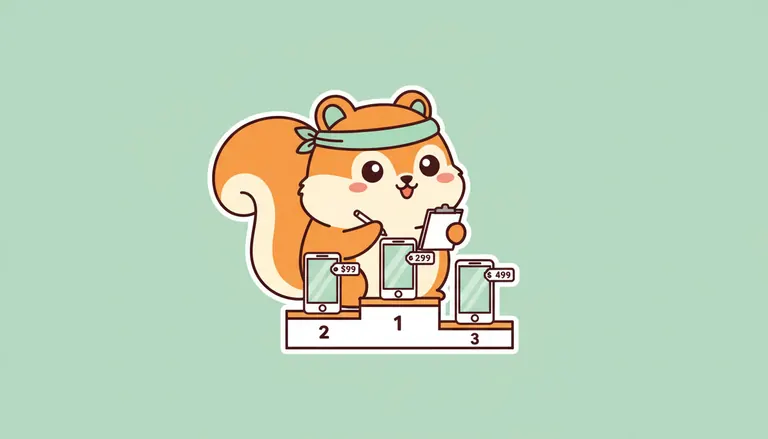
The download is free. The features you actually want (bulk deletion, the full sort) sit behind Cleanup Pro. And the in-app purchase list isn't short: several "Pro 1 week" options exist side by side at different prices.
| Cleanup Pro option (US App Store) | Price | Per year if never canceled |
|---|---|---|
| Featured offer: 1-week free trial, then weekly | $7.99 / week | about $415 |
| Lowest weekly price listed | $5.95 / week | about $309 |
| Highest weekly price listed | $11.99 / week | about $623 |
| Other weekly prices listed | $7.39, $9.99 | about $384 to $519 |
| Pro 1 year | $29.99 on 09/27/2026, not in the 10/11/2026 list | $29.99 |
Checked in the "In-App Purchases" section of the US App Store on 10/11/2026 (first check: 09/27/2026). Apple only lists ten purchases there, so the yearly plan may still exist without appearing. The offer shown inside the app can differ from one user to another.
What about a Cleanup lifetime plan?
People search for "cleanup app lifetime" a lot, so here's what I found. The French App Store listing shows a lifetime tier at 34,99 €. On the US listing, the in-app purchases I noted were weekly and yearly only, so I can't give you a US lifetime price. If the app offers you one, check the Apple payment sheet: it says "one-time" or shows a renewal period, and that sheet is the one that counts.
The weekly plan is the trap
Do the math once. At $5.95 a week you're paying roughly $309 a year to clean your camera roll. At $11.99, over $600. Same app, same features, and the yearly plan is $29.99. If you want Cleanup, go yearly and set a reminder, or skip it.
A free trial turns into a paid subscription automatically unless you cancel at least 24 hours before it ends. Deleting the app does not cancel anything: the subscription lives on your Apple Account, not on your home screen.
Is Cleanup legit? What the critics say
Short answer: it's a real app that really cleans, so it's not a scam in the "takes your money and does nothing" sense. The fair question is about how it sells, and there are public critiques you can read yourself.
The Apple Community thread
On Apple's own support forum there's a thread titled "Clean Up App - is it a scam?". At the very least it shows that some users asked that question after seeing charges. Worth a read, keeping in mind forums mostly collect unhappy users (people who are fine don't go post about it).
Connor Tumbleson's post
Developer Connor Tumbleson published a post on January 13, 2025 titled "Predatory iOS Cleanup Applications". The title tells you the angle: the sales tactics of cleaner apps on iOS. Read it at the source instead of trusting anyone's summary, mine included.
Is Cleanup app safe for your data?
This is the most factual part. Cleanup's privacy label lists "Data Used to Track You": purchases, identifiers and usage data. In Apple's wording, tracking means that data can be linked with data from other companies' apps and websites, usually for ads. You can say no in the App Tracking Transparency prompt, or turn it off everywhere in Settings > Privacy & Security > Tracking. I go deeper on this in iPhone cleaner apps and your photo privacy.
My take: legit, but read every paywall screen. I go further in is the Cleanup app legit? For the wider picture, see are iPhone cleaner apps a scam?
Pros and cons, no spin
Cleanup didn't get hundreds of thousands of good ratings by accident, so let's give it credit where it's due.
Who it's actually good for
If you have a huge library, you like swiping, and you pick the yearly plan with a calendar reminder, Cleanup can be a fine purchase. If you're thinking "I'll pay one week, clean, then cancel", be honest with yourself: most people forget.
How to cancel Cleanup and ask for a refund
Cancel the Cleanup subscription
- Open Settings on your iPhone
- Tap [your name] at the top
- Tap Subscriptions
- Pick Cleanup, then Cancel Subscription
You keep Pro until the end of the period you already paid for. Don't see Cleanup in the list? Make sure you're signed in with the Apple Account that paid. The full walkthrough, including what to do when Cleanup isn't listed, is here: how to cancel the Cleanup subscription.
Request a refund from Apple
Apple takes the payment, so Apple handles refunds, not the developer. Go to reportaproblem.apple.com, sign in, choose "Request a refund", select the Cleanup charge and explain in one line (something like "weekly subscription started by mistake, already canceled"). Nothing is guaranteed, but a quick, clear request tends to go better than one sent months later.
Cleanup vs Nino: an honest comparison
Disclosure again: Nino is ours. We built it because we were tired of trick paywalls. That doesn't mean I'll pretend Nino is free forever or that it has no weekly plan, because it does.
| What matters | Cleanup | Nino |
|---|---|---|
| Model | Free download + Pro subscriptions | 1 free clean, then one optional rewarded ad per clean, or Nino Pro |
| Weekly | $5.95 to $11.99 ($7.99 featured after a free week) | $5.99 |
| Monthly | not listed | not offered |
| Yearly | $29.99 (seen 09/27/2026, not listed 10/11/2026) | $34.99 (7-day trial) |
| Lifetime | not found on US listing | $44.99 |
| "Data Used to Track You" label | Yes (purchases, identifiers, usage) | check Nino's App Store privacy section |
| Recoverable trash | not in my notes | Yes, 30 days |
| Photo analysis | not in my notes | 100% on-device |
Cleanup prices checked on the US App Store on 10/11/2026 (yearly price from 09/27/2026). Nino prices from the US App Store the same day.
What Nino does
- Similar photos: groups bursts and near-duplicates and keeps the best one, you confirm before anything goes
- Swipe mode: swipe left to trash, right to keep (more on that in swipe photo cleaner apps for iPhone)
- Screenshots and large photos found automatically
- Video compressor (Pro): Nino compresses videos, not photos
- Photo vault locked with Face ID (Pro)
- 30-day recoverable trash, for when you swipe away the wrong beach photo
What we refuse to do
No fake gigabyte counter screaming "38 GB of junk!" to scare you. The price you see is the price you're charged. Your photos never leave the phone. Canceling takes 2 taps. And to be fair on price: when Cleanup's yearly plan shows up ($29.99 when we checked on 09/27/2026), it's cheaper than Nino's ($34.99). Where Nino holds up is clarity: one weekly price instead of several, and the option to clean without paying by watching an ad when you choose to. 🐿️
Want more options? Here's my list of the best iPhone cleaner apps and a head-to-head of Cleanup vs Cleaner Guru.
FAQ
Is Cleanup app free?
The download is free, but full cleaning needs Cleanup Pro. On the US App Store on 09/27/2026, weekly plans ranged from $5.95 to $11.99 and the yearly plan was $29.99.
Is Cleanup app safe?
It's a real app from a listed seller (DEEP FLOW SOFTWARE SERVICES - FZCO, formerly Codeway), but its privacy label says "Data Used to Track You" for purchases, identifiers and usage data. You can refuse tracking in Settings > Privacy & Security > Tracking.
Is Cleanup app legit or a scam?
It's legit in the sense that it really cleans your photos and its prices are listed on the App Store. Its sales tactics have been criticized publicly, in an Apple Community thread titled "Clean Up App - is it a scam?" and in Connor Tumbleson's post "Predatory iOS Cleanup Applications" (January 13, 2025).
How do I cancel Cleanup?
Go to Settings > [your name] > Subscriptions, tap Cleanup, then Cancel Subscription. Deleting the app does not stop the charges.
Can I get a refund for Cleanup?
You can ask Apple at reportaproblem.apple.com by choosing Request a refund and selecting the Cleanup charge. Apple decides, and a fast, clear request has a better shot.